Pulse 1.1 is out 🎉

Your Mac's Dynamic Island

A living island
for your notch.

Music, meetings, clipboard, weather, focus timers, AI tools and an AirDrop shelf. One glance up.

#10globallyOn Product Hunt
Download for macOSGet License

Free for 7 days. No card, no account.

Now PlayingYouTube Music
Midnight City
M83 · YouTube Music
1:24
-2:39
Announcement

Thank you, and Pulse 1.0
is here.

You made Pulse #10 globally on Product Hunt. You downloaded it, broke it, told us what needed work, and sent bug reports at 2am. Every one of those shaped the app, and 1.0 is the result: out now, one payment, yours for good.

Signed & notarized

Apple has notarized Pulse, so it installs without the “Apple could not verify this app” dialog. Download, drag, done.

New widgets on board

Focus sessions, a paged clipboard history, weather, live system stats, device batteries and a shelf in your notch.

Shaped by your feedback

The rough edges you flagged during the beta are the ones we spent the last few weeks sanding down.

Curious what shipped? Read the 1.0 release notes.

Everything useful,
one glance away.

Live widgets for music, meetings, clipboard, weather, focus sessions, devices, system stats, AI tools and an AirDrop shelf, living inside a beautiful island around your notch.

The music card playing from a browser with artwork and controls

Universal now playing

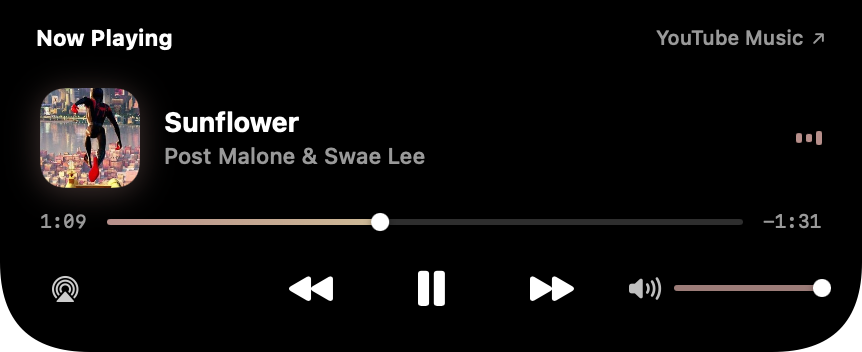
Spotify, Apple Music, YouTube, Qobuz, Podcasts, VLC, any app that plays. Artwork, scrubbing, volume and an output picker in the island.

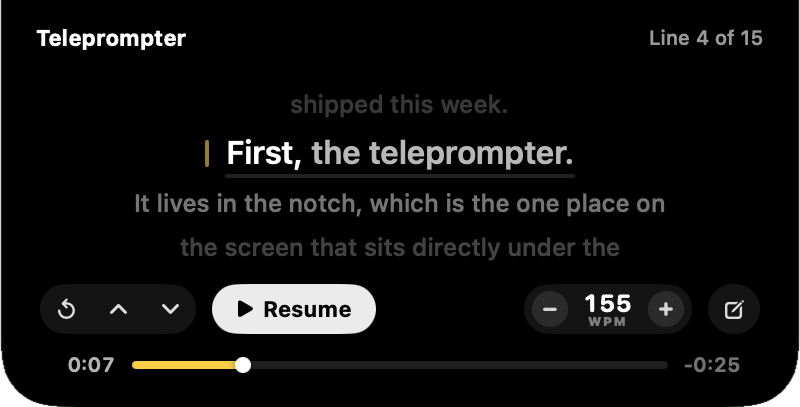
The teleprompter card: a narrow centred column of script with the line being read picked out in white, a pace control and a scrub bar

A teleprompter under the camera

Your script in the notch, a line at a time, directly under the lens — so you read it and still look people in the eye. Set your pace in words per minute and the card tells you how much longer you are talking for. Paste it, type it, or open a Word, RTF or PDF file.

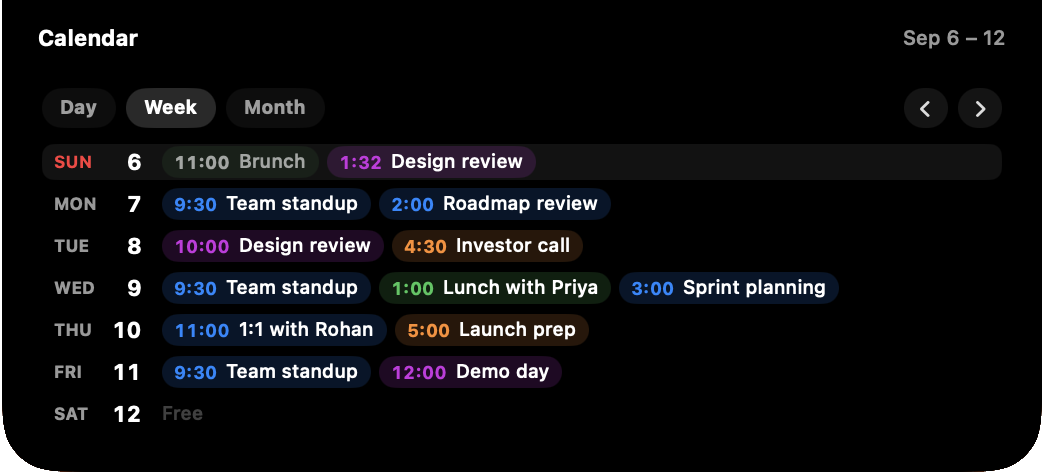
Calendar card with a one-click Join Meet button

Meetings that join themselves

Live countdown to your next event, with a Join button that detects Teams, Zoom, Meet and Webex links.

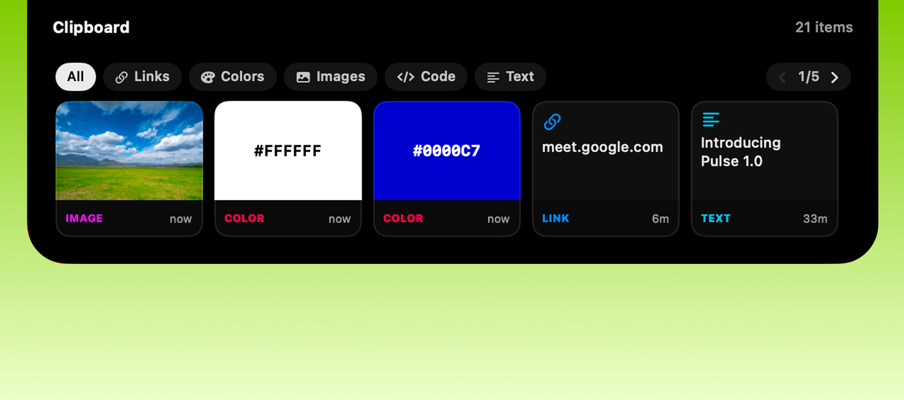
Clipboard history card with typed entries

A clipboard that knows what you copied

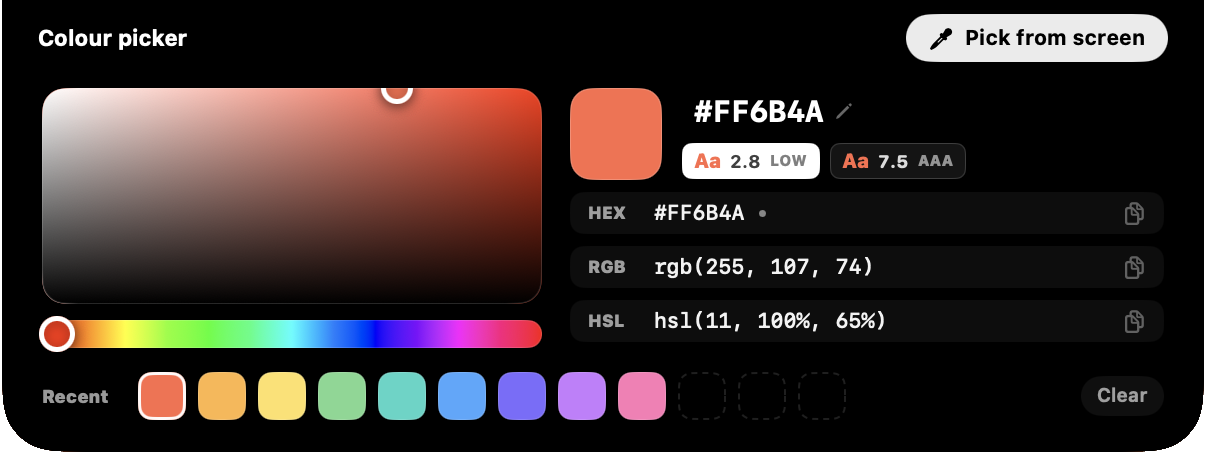
Copy a hex and see the swatch. Copy a screenshot and see the thumbnail. Copy a link and see the host, not the tracking. Filter by type, click any row to copy it back.

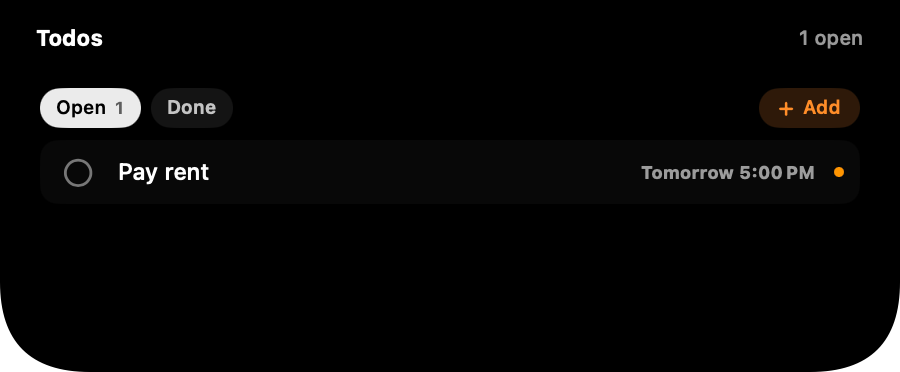
The Todos card with Open and Done tabs and a dated reminder

Your reminders, in the notch

Apple Reminders, two ways: tick things done with a click anywhere on the row, and capture new ones from the notch. Type “pay rent tomorrow 5pm” and the date is understood, shown as a chip, and saved with a real alarm.

The weather card: current conditions, the hours ahead and the days after

Weather at a glance

Current conditions, the hours ahead and the next four days. No key, no account. Turn it off and Pulse stops asking for forecasts entirely.

The system card with CPU, GPU, memory, swap, storage, network, disk and power tiles

A system monitor in the notch

CPU history, GPU, memory pressure, network and disk throughput. Choose your tiles; the card resizes.

The devices card listing a paired iPhone and Apple Watch

Your devices, one slide

iPhone, Apple Watch, AirPods and Magic peripherals: connection state, batteries and charging bolts.

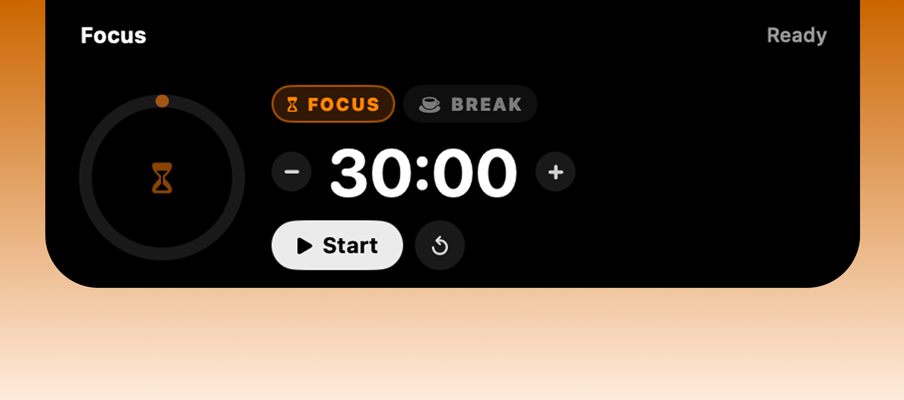
Focus session ring with transport controls

Focus & breaks

Timed work sessions with short and long breaks between them, on a ring that breathes. Start, pause and skip without leaving the notch.

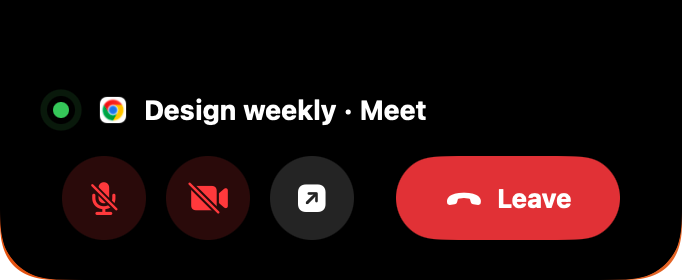
Mute, camera and leave controls during a call

Meeting controls

When you're on a call, the island becomes your meeting bar: mute, camera and leave, right at the top of the screen instead of buried under windows.

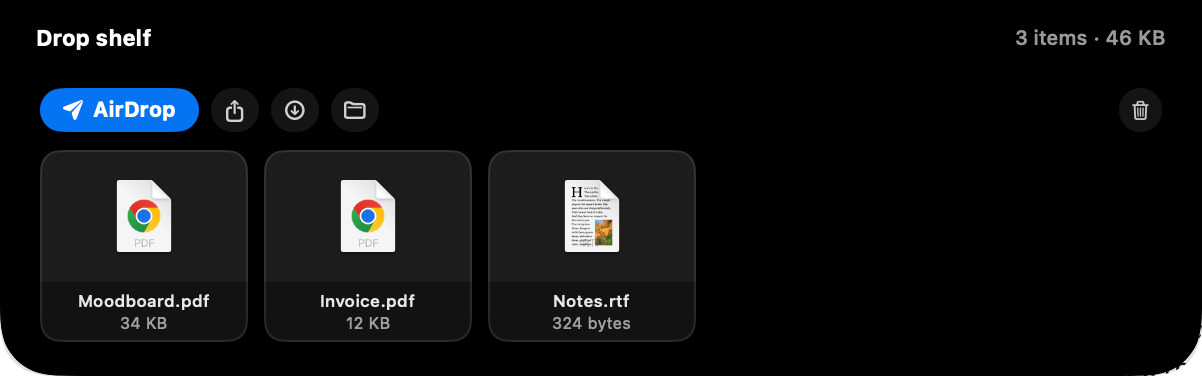
The drop shelf holding three files with actions

A shelf in the notch

Drag files at the notch and choose where they land: the AirDrop container sends the moment you let go, the Shelf holds the pile until you need it somewhere else.

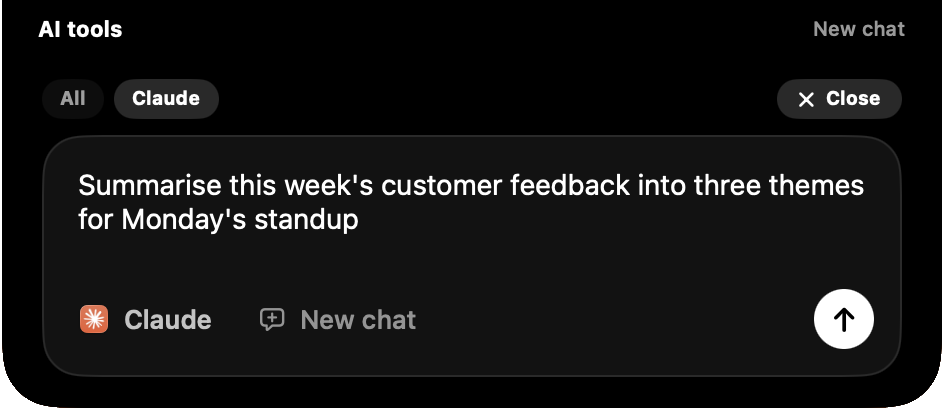
The AI tools card showing Claude mid-task with model and token stats

Your AI tools, watched

Claude, ChatGPT, Cursor, Codex and Grok: who's running, who's actually working, the model in use and the session's tokens. Read from your Mac alone. Nothing is contacted.

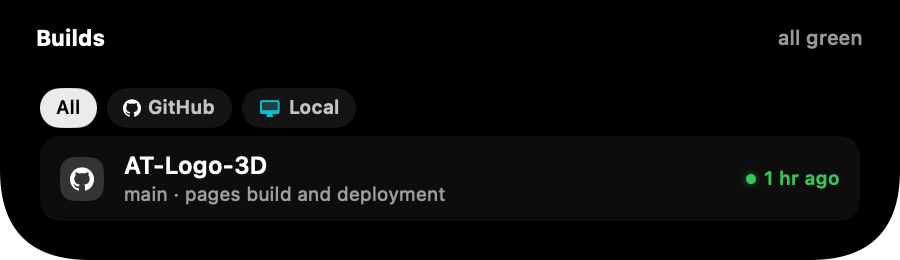
The Builds card with GitHub and Local lanes, all green

Did the pipeline pass

GitHub Actions and GitLab CI in the wings, a toast the moment something fails, and your local dev servers in their own lane: found automatically, opened with a click, stopped with one more.

On the roadmap

Coming soon.

The next widgets on the bench, shaped by your feedback.

Microphone is on
Used by QuickTime Player
↗ Open
breathing on the island while anything captures

Mic & camera watch

An orange dot breathes on the island whenever something outside a call holds your microphone or camera. Click it and Pulse names the app and takes you straight there.

Ask anything

ClaudeChatGPTCursor

Ask from the notch

A tiny prompt field in the island. Type a thought and it lands in Claude, ChatGPT or Cursor with your text ready to go, no window hunting first.

Order picked up
Zomato · live from iPhone
12 min
AI 864 · Gate 42B
Boarding starts 9:40 PM

Live Activities from iPhone

The delivery inching closer, the cab arriving, the flight boarding: your iPhone's Live Activities, mirrored to the notch so you glance up, not down.

keynote-final.zip64%
12.4 MB/s18s left · lands on the shelf

Downloads in the island

Browser downloads as a live activity: progress in the wing, and the finished file waiting on the shelf instead of buried in a folder.

Deploy
Record
Mute all
Your Shortcuts, pinned to the island

Shortcuts in the wings

Pin your macOS Shortcuts as island buttons. Toggle the VPN, start a recording or run your morning script from the top of the screen.

PersonalWorkDo Not Disturb
Work shows calendar and stats · Personal shows music

A Focus-aware island

The island reshapes with your macOS Focus mode: Work leads with calendar and stats, Personal leads with music, Do Not Disturb quiets every toast.

Pay once,
yours for good.

Run the whole thing free for 7 days first. After that, one licence covers two Macs and every update. Your key is emailed the moment payment clears and activates in seconds.

Get your licence key

Secure checkout by Razorpay. We never see your card details.
Not ready? Download and try it free. No card, nothing to cancel.

7 days free, no card needed
Every widget, unlocked for good
One payment, no subscription, ever
Activate on 2 of your Macs
Every update included
Signed & notarized by Apple

Driven by gesture.

No windows, no shortcuts to memorize. The island answers to the trackpad you already know.

Scroll ↓

Expand

Scroll down on the island and it blooms open into the full card.

Scroll ←→

Flip

Scroll sideways to slide between music, meetings, stats and more.

Hover

Peek

Rest the pointer on the notch for a quiet glance. No click needed.

Click

Pin

Click to keep a card open while you work. Click again to let go.

Built for how you work.

Developers

Build commands back from clipboard history, OTPs called out on copy, and CPU charts while the tests run.

Designers

Music in your peripheral vision, screenshots a glance away, and a shelf for the assets you're juggling.

Meeting marathoners

A countdown that keeps you honest and a Join button that knows Teams, Zoom, Meet and Webex.

Music heads

Every player, one island. Artwork tints, scrubbing and volume without surfacing a single window.

Founders & operators

Todos, timers and the day's schedule staged in the notch. Momentum without app-switching.

Everyone else

Weather before you leave, battery before it bites, and your AirPods' charge before the commute.

Obsessive about
the last 4 pixels.

Pulse is built the way Apple would build it: springs over fades, glances over windows, restraint over noise.

Cascade entrancesCard content reveals element by element, 55 ms apart.
Artwork-tinted accentsThe equalizer and scrubber take the album's own color.
Rolling numbersTime, battery and countdowns tick. They never repaint.
Notch-band headersTitles live in the wings beside the hardware cutout.
120 Hz springsEvery morph is a tuned spring. Nothing fades that can move.
Polite by designUnder 1% idle CPU. Stats poll only while you're looking.

Your data stays on your Mac.

Everything Pulse shows you is read on your device and kept there. Your clipboard, your files, your schedule. No servers, no tracking, no accounts. None of it leaves your Mac.

No data collectedNo analytics or telemetry100% on-device processing
Read the full privacy policy

Give your notch
a pulse.

One download, ten seconds, and the dead pixels at the top of your screen start earning their keep. Free for 7 days.

Download Pulse7 days free, then one payment · macOS 14 Sonoma or later · ~5 MB