Release notes

What changed

Every version of Pulse, in plain language. New features, improvements and fixes are labelled so you can find the one line you care about.

1.3

stableLatest

New chat from the notch, a calendar you can look around, and the meeting heads-up the settings had been promising. The AI tools card grows a prompt field that lands your words in Claude, ChatGPT or Cursor, typed or spoken. The calendar card gains day, week and month views. And a meeting now announces itself in the island before it starts.

3 new1 improved5 fixed
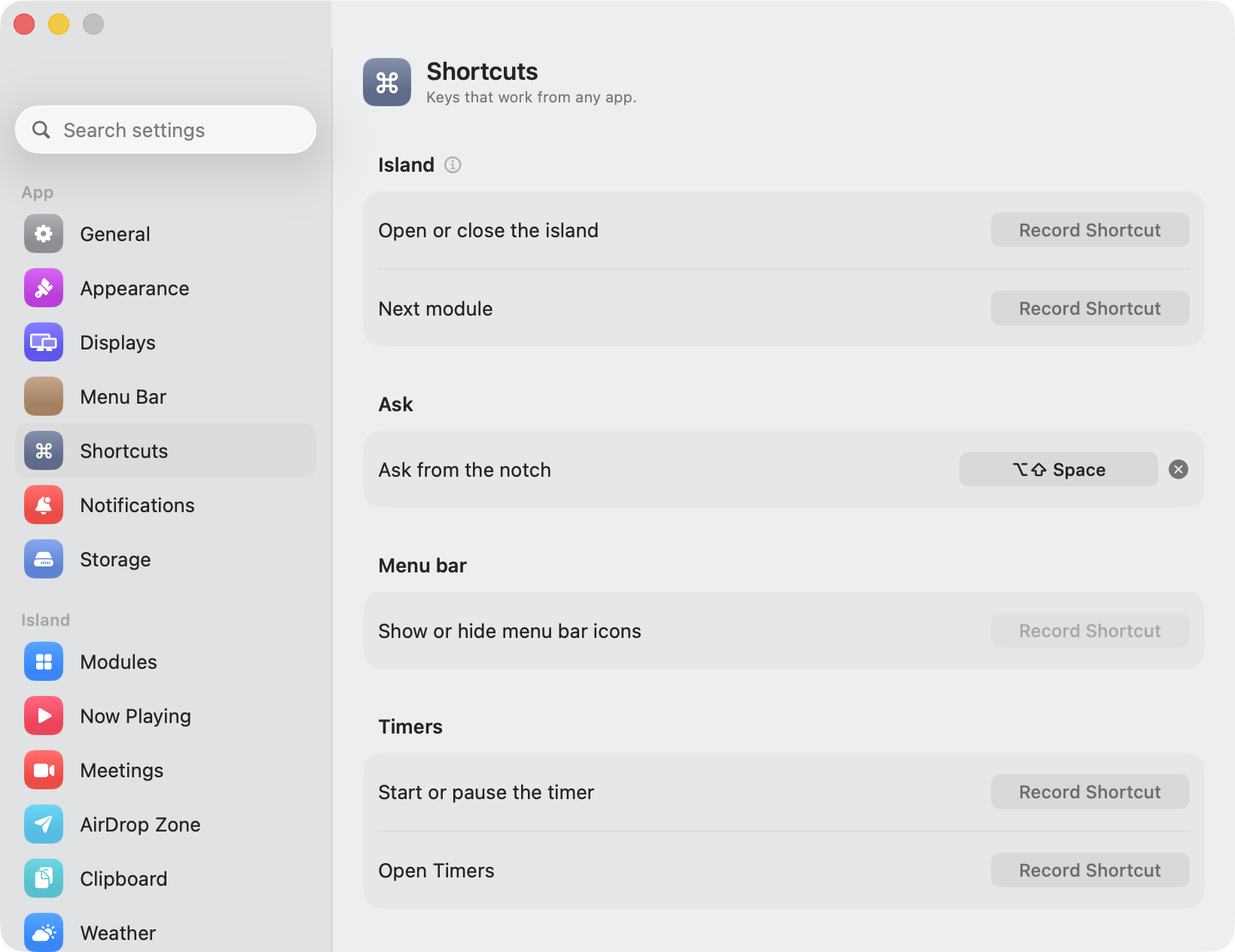
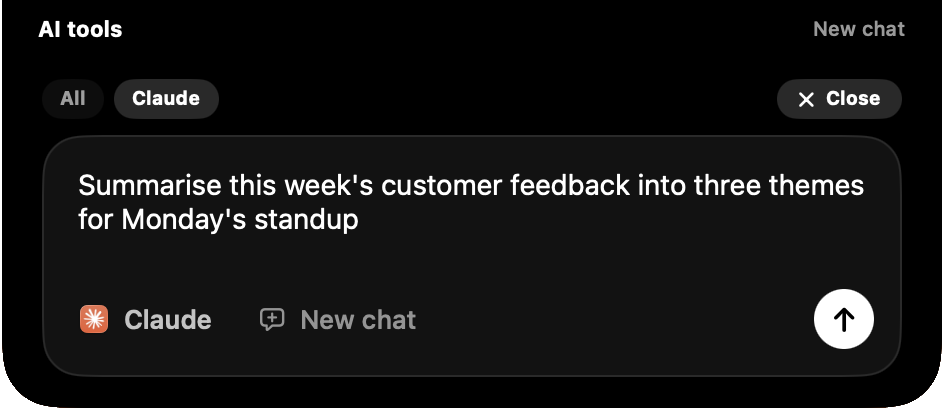
  • NewNew chat, from the notch. A New chat button at the end of the AI tools card’s tabs opens a prompt field in the island. Type a thought and press Return: Pulse brings Claude forward, opens a fresh conversation and sends it, so the seconds spent finding the window and clicking into its composer are gone. ChatGPT and Cursor work the same way when they are installed, Cursor through its own agent link, and the card only ever offers the apps on your Mac. A Same chat switch lands a follow-up in the conversation already open instead. A system-wide shortcut, ⌥⇧Space by default, opens the field from any app. Sending into the Claude and ChatGPT apps uses the same Accessibility permission as the in-call controls; without it the text is copied and the app comes forward, one ⌘V from done.The AI tools card with the New chat composer open: a typed prompt, Claude chosen as the destination, and the round send button
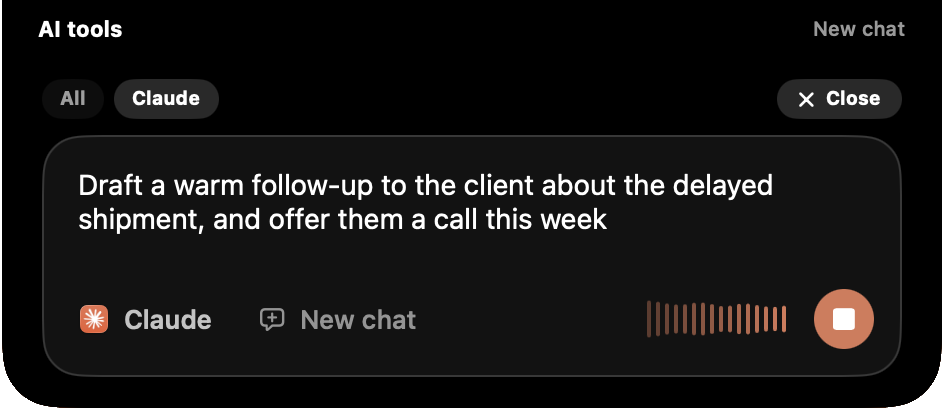
  • NewSay it instead. Press the mic and talk: bars move with your voice, the words appear as they are recognised, and Return sends them. Recognition is Apple’s, on your Mac for every language that has an on-device model, and the microphone is open only while the bars are. A pause between sentences is a pause, not the end of the dictation: what you said stays, and the next sentence is added after it.The composer mid-dictation: transcribed words in the field, level bars moving beside a stop button in Claude’s colour
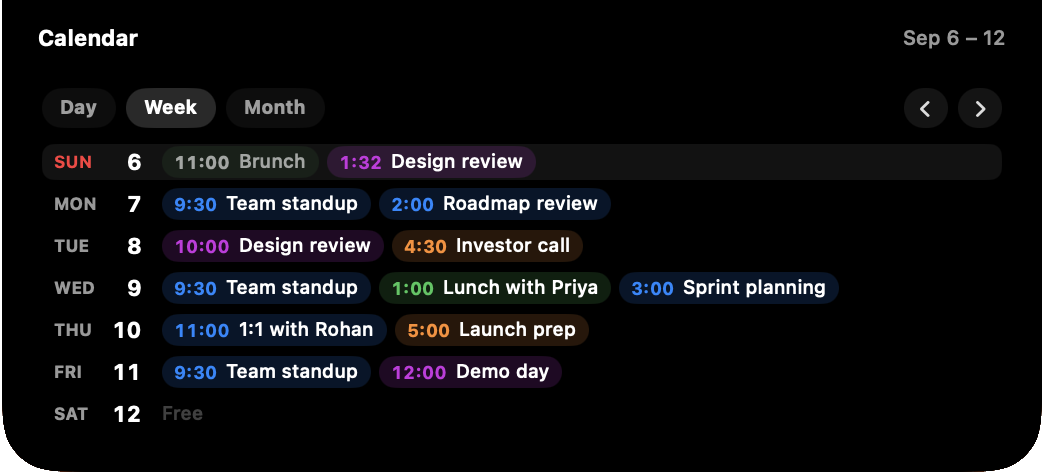
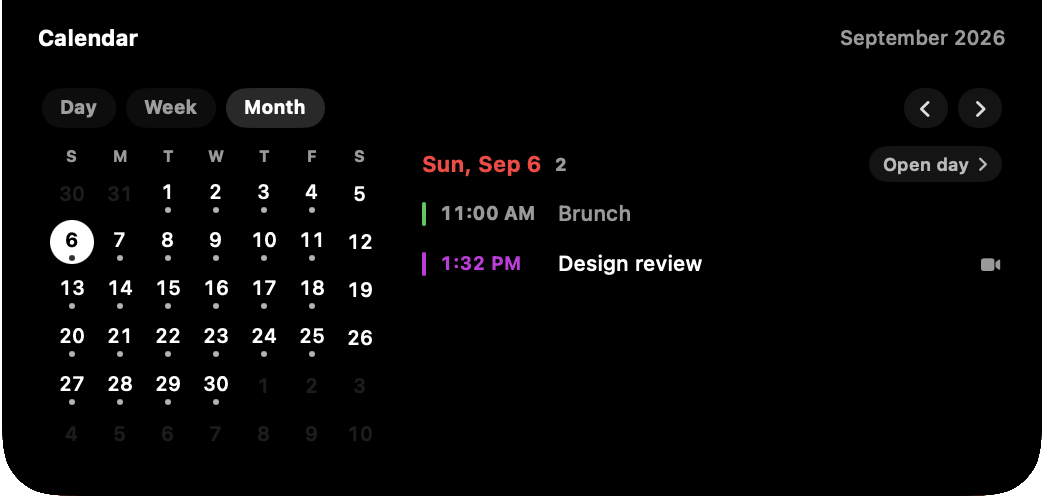
  • NewA calendar you can look around. The meetings card had one view, today. It now has three, on chips at the top of the card. Day is the agenda for any date. Week is a list of seven days, each day’s events running across as time-and-title chips and a quiet Free where there is nothing, so a glance says which days are heavy. Month is a small picker with the selected day’s agenda beside it: click a date and its events appear on the right, browse a whole month without leaving it, and Open day takes you through to the full agenda with its Join buttons. Arrows step a day, a week or a month at a time, Today brings you back, and every time the card opens it lands on today.The calendar card in Week view: seven days listed with each day’s meetings as time and title chips, Sunday highlighted as today
  • ImprovedThe month grid is for finding a date, not reading it. A day with anything on it carries one small dot, days outside the month are faded, today is ringed and the selected day is a white disc. The reading happens beside it, in the agenda for the day you clicked.The calendar card in Month view: a compact month grid on the left, the selected day’s two events listed on the right
  • FixedThe meeting heads-up now happens. Settings has had a slider for how many minutes before an event Pulse should warn you, and all it ever did was move the meeting card up the carousel. The island now shows a toast when an event crosses that lead time, with its name and the timing, and once more in its last minute. Every upcoming event gets its own, each fires once, and clicking the toast joins the call when there is a link or opens the agenda when there is not.The compact island showing a heads-up toast: a calendar icon and Design review, in 30 min
  • FixedPulse no longer asks for a licence it already has after a cold boot. It is a login item, so it was checking in before Wi-Fi had joined a network, reading the instant “offline” as a refusal and, after a short grace, putting the activation screen up over a copy that was paid for. The launch check-in now waits for a network to appear and retries on a schedule, the grace period is thirty days, and a gate that came up only because the server could not be reached closes itself the moment it can.
  • FixedFiles dropped on the AirDrop container now leave the shelf once they have been sent, and a second drop no longer carries the first one along with it. Dropping on AirDrop was the whole instruction. The shelf’s own AirDrop button still sends everything on the shelf and keeps it, which is what a shelf is for.
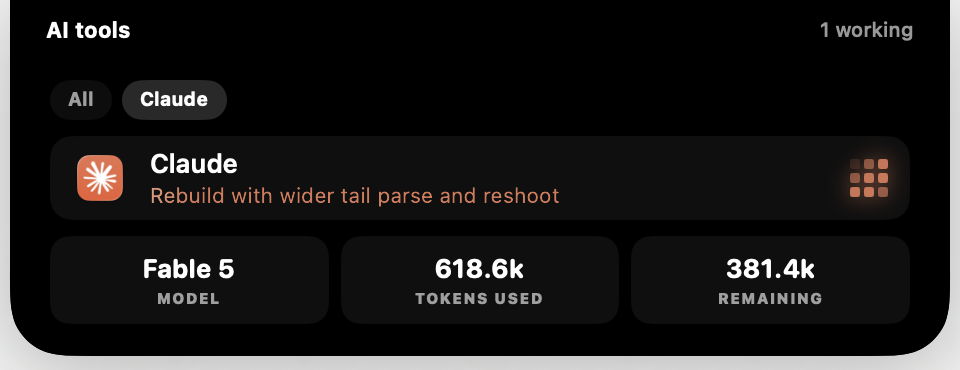
  • FixedThe AI tools card’s Model, Tokens used and Remaining tiles were cut off at the bottom of the island on a tool’s own tab. The island sized the card for the overview list only; it now sizes it for the tab it is showing.
  • FixedToast titles were being cut short. The pill grew by the width a title needed, but that growth was shared between the icon’s wing and the title’s, so the title only ever got half of it. It gets all of it now.

1.2.7

stable

A teleprompter in the notch. The notch is the one place on a Mac where a script can sit directly under the camera, which is the whole point of a prompter: you read, and you are still looking down the lens.

2 new1 improved1 fixed
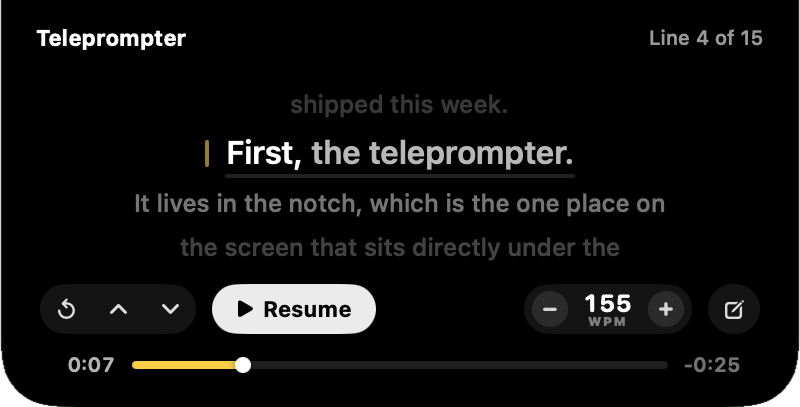
  • NewRead a script off the notch. Paste one in, open a document, or type it in the island itself, and the card shows a line at a time in a narrow column under the camera — one line behind you, the line you are saying, and two more coming. Words dim as you pass them and a rule creeps along under the sentence, so you always know where you are without anything sliding about that you have to track. The pace is set in words per minute rather than a scroll speed, which means it survives a change of text size and lets the card tell you how much longer you are talking for. Tap the words to pause, tap a line to jump to it, drag the number to find your speed, and scrub the bar to move through the script. There is a count-in before the first word, a mirror switch for anyone reading off beam-splitter glass, and the script is hidden from screen recordings while you read. It needs no permission, contacts nothing, and is off until you switch it on in Settings ▸ Teleprompter.The teleprompter card: a narrow centred column of script with the line being read picked out in white, a pace control and a scrub bar
  • NewA script can come out of a file. Paste is a fine door for a paragraph and a poor one for a keynote, so the card and Settings both take a document instead: plain text, Markdown, Word, RTF, OpenDocument, HTML or PDF. A file whose paragraphs are single long lines — which is what a Word or Pages export looks like — has them understood as paragraph breaks; a hard-wrapped one, where the line endings are the typesetter’s rather than the author’s, is left alone. In the island’s own editor an opened file is added after what you have already written rather than replacing it.
  • ImprovedThe volume slider on the music card now moves the PLAYER, not the Mac. Turning Spotify down is what you meant when you reached for the slider on a card that is showing you Spotify — the next notification still arrives at a sane loudness, and the call in your other window is left alone. It works for Spotify, Music and anything playing in a browser tab, each of which has a level of its own; a Qobuz, Podcasts or VLC track reports no level Pulse can set, so for those the slider keeps the output device and the tooltip says so. The card holds what it just set until the player agrees, so the thumb no longer slides and then snaps back a moment later.
  • FixedAdding a reminder from the notch no longer pushes the last one out of the card. The island works out how tall the todos card needs to be before the card draws itself, and the capture field was described as borrowing a row’s slot rather than taking height of its own. That is only true when the list is long enough to be showing its maximum three rows; with one or two reminders there was no row to borrow, so the field was forty-two points of content in a card with no room for it and the bottom row went out through the base of the island.

1.2.6

stable

The words to whatever you are playing, beside the player. Teams calls held in a browser now get a card of their own, and the mute glyph on a native Teams call finally tells the truth — it had been reading backwards.

2 new1 improved3 fixed
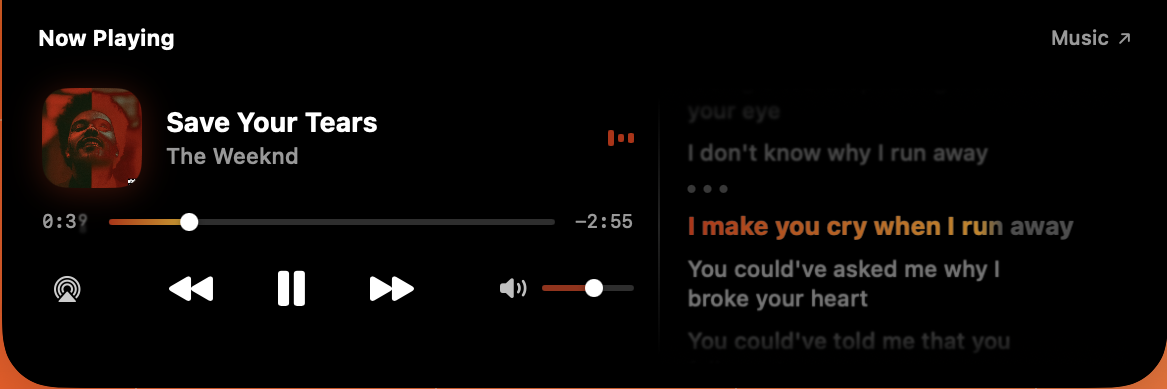
  • NewLive lyrics, beside the player. Turn them on and the music card grows a second column: the words, scrolling with the song, the line being sung painted in the artwork’s colours. Click any line to jump the player there. The lyrics come from LRCLIB, a free community-maintained archive with no account and no key, and a song nobody has words for leaves the card exactly as it was. It is off until you switch it on, because it is the one feature that sends anything about what you are listening to off the Mac — the title, artist, album and length, once per song, to LRCLIB and nowhere else. There is a switch in Settings ▸ Now Playing and a second one on the card itself, next to the output button, so you can turn the words on and off without leaving what you are doing.The music card with a lyrics column beside the player, the line currently being sung picked out in the artwork’s colour
  • NewA Teams call held in a browser now gets a card. Pulse understood Teams only as an app, so joining from a tab — which is how a good many people are asked to join — left the notch showing nothing at all. A Teams call in Chrome, Safari, Arc or Edge now raises the same card as any other, with the mute and camera state read off the call’s own controls, and Leave presses the button Teams itself puts there rather than closing the tab and taking your chat and calendar with it. A Teams tab that is merely open, which for most people is all day, is never mistaken for a call.
  • FixedThe mute glyph on a native Teams call was reading backwards. Pulse works out whether you are muted by reading the label the app puts on its own microphone button, the same words a screen reader would say. Zoom names the action — “Mute” while you are live, “Unmute” while you are muted — and Teams, on current builds, names the state instead: “Microphone muted”. Because the check looked for the word “mute” anywhere inside the label, and “muted” contains it, every state-worded label was read as its own opposite: the notch said you were live while you were muted. That is the one direction this must never be wrong in. Labels are now read a whole word at a time, and the state wording is understood before the action wording.
  • FixedThe mic glyph no longer goes blank part-way through a call and stays that way. Pulse remembers where it found an app’s mute button so it need not search the whole window every second, and it only searched again once both the microphone and camera buttons had gone. Teams rebuilds its microphone button every time you mute, so the microphone was lost on the very first press while the camera kept the memory looking valid — and the button was never found again for the rest of the call. Either one going missing now prompts a fresh look, and a single missed reading no longer wipes a state Pulse already knew.
  • FixedPressing mute no longer makes the glyph flip, flip back, and flip again. The card shows the new state immediately and confirms it a moment later by reading the app, and a reading that was already underway when you pressed describes the world before the press. Pulse was deciding whether a reading was stale from the moment it finished rather than the moment it began, which a slow search of a Teams window outlasted comfortably. It is timed from the start now, and the confirming read comes about a second after the press instead of up to three and a half.
  • ImprovedScrolling the lyrics no longer opens or closes the island. The island watches the scroll wheel so its own swipes are reliable, which meant a card with something scrollable inside it spent every scroll twice: once on the words and once on collapsing the island out from under whoever was reading them. Anything under the pointer that scrolls itself now keeps its scroll.

1.2.5

stable

Pulse is now free for seven days. Open it, press one button, and every widget works for a week with no card and no account. This release also fixes the worst bug Pulse has ever had: a browser that stopped answering could freeze the whole app until it was quit.

1 new1 improved3 fixed
  • NewSeven days free, no card and no account. A new install now offers a trial on the first screen instead of asking for a key straight away: press “Start my 7 days” and everything is unlocked, the island included, for a full week. Nothing is asked for, nothing is charged, and there is no account to make. The days left show in the menu bar and in Settings, and when the week is up Pulse says so and shows you where to buy a key. The trial is tied to the Mac rather than to an email, so reinstalling Pulse or deleting its preferences carries on the same week rather than starting a new one.
  • FixedPulse could freeze completely, and stay frozen. Every question Pulse asks another app, what is playing, is there a Meet tab open, is the microphone muted, is asked in AppleScript, and a browser that stops answering never replies at all. Each unanswered question used to leave one of the app’s background threads waiting for ever, and macOS gives a process only 64 of those: once they were gone, the music card stopped, the meeting card stopped, and the update check took the whole window with it. One user sat with a beachball for three and a half hours. Every one of those questions now runs in a separate short-lived process that can be given up on, and giving up leaves nothing behind. The one exception, reading album art out of Apple Music, has a private thread of its own so it can never touch anything else.
  • FixedThe meeting card no longer claims the wrong call. Being the app in front used to count as proof that an app was in a meeting, so clicking an idle Teams window during a Google Meet handed the card to Teams: the mute glyph sat blank because there was no call to read, and the Mute and Leave buttons fired their shortcuts at an app with nothing to mute or leave. An app that can describe its own live call now outranks any guess about which app the call belongs to, and no guess is allowed to name an app Pulse has just looked inside and found idle. Reported by Matt.
  • FixedMeeting detection no longer stops until the next relaunch. If a scan of the browser’s tabs never came back, Pulse kept waiting for it and never scanned again, so a call started after that point simply never appeared. Scans are bounded now, and there is a second guard behind that which resumes polling if one ever fails to return anyway.
  • ImprovedBringing a meeting to the front no longer stalls the island. Revealing a meeting tab means walking every window of every browser, which was being done on the same thread that draws the island, so a browser that took its time about answering held the animation still while it thought about it.

1.2.4

stable

Every tile on the System card opens. Click one and you get that reading's history, its average and its peak, kept while the notch is closed rather than started from scratch every time you look. Pulse also works properly with a mouse now, and the island opens and closes faster.

3 new3 improved3 fixed
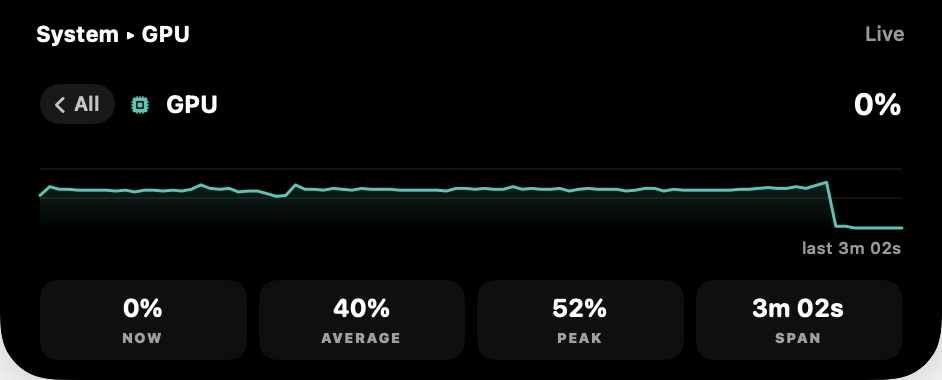
  • NewThe System card's tiles open. Click CPU, GPU, Memory or any other tile and it opens into that reading on its own: a chart of where it has been, what it is doing now, its average and its peak. Storage and Power show a capacity breakdown and the adapter and thermal state instead of a chart, because neither of those moves enough in three minutes for a line to mean anything. Hovering a tile marks it as a door before you click it.The System card opened into GPU, showing a history chart with now, average and peak underneath
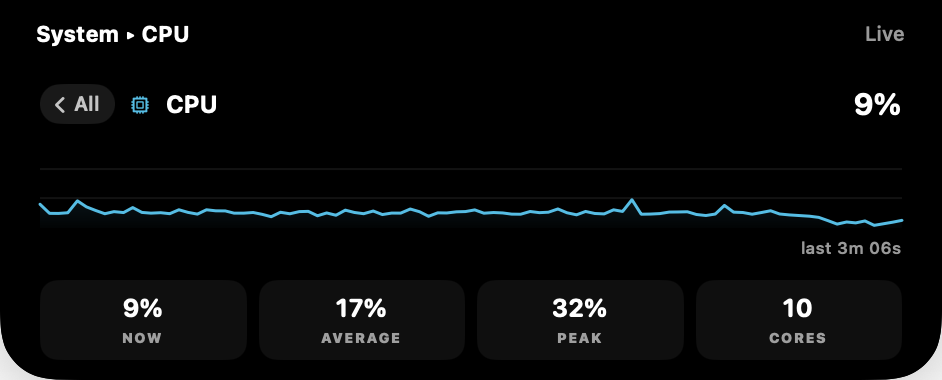
  • NewThe history keeps running while the notch is closed. Pulse used to stop measuring the moment the card went away, so collapsing it for a few seconds and looking again gave you an empty chart. It now keeps sampling quietly in the background and picks the pace back up when you open the card, so there is something to see when you get there. If your Mac sleeps, the line breaks where the gap is rather than drawing across it.The CPU detail showing three minutes of history with now, average, peak and core count
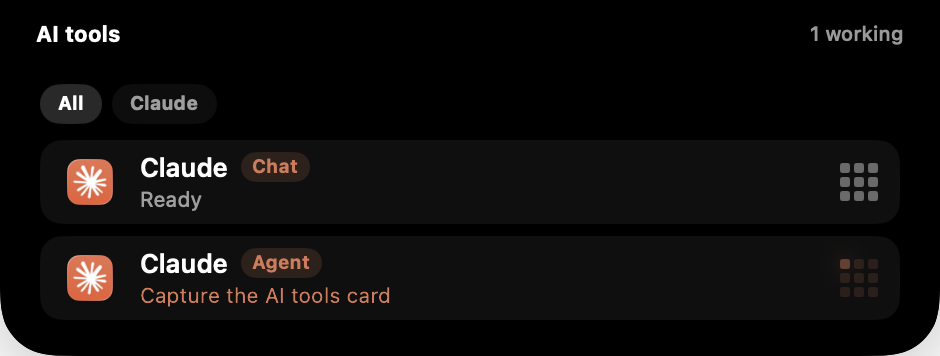
  • NewThe AI tools card lists one row per task instead of one per app. A chat you are having and an agent you have running are two different things to wait on, and they used to share a single row with a number beside it. Each gets its own row now, with its own status and its own clock. A conversation in the Claude or ChatGPT app also shows up at all, which it never did before.The AI tools card showing a Claude chat and a Claude agent as two separate rows
  • FixedPulse works with a mouse. Hovering the island to open it could silently do nothing, because the decision was made once as the pointer arrived and never revisited, and a mouse crosses the menu bar in one jump rather than gliding through it. Scrolling was tuned for a trackpad swipe, so a wheel had to be spun hard to register at all. A wheel now moves between modules while a card is open and opens the island from the pill, and holding shift moves between modules from anywhere.
  • ImprovedThe island opens and closes about a quarter faster. Same shape, same settle, less waiting.
  • FixedThe carousel's icons style no longer breaks the open and close animation. Picking icons instead of dots handed the island a different, bouncier animation than the one it was tuned with, so the same gesture felt right in one style and wrong in the other.
  • FixedMeeting controls show up when you join from the calendar. Mute, camera, share and leave appeared for a call Pulse spotted on its own, and were missing for the one case where it knew the most about what you were in.
  • ImprovedThe playing indicator takes its colour from the album art in the collapsed pill too, so the island stops changing colour as it opens.
  • ImprovedThe collapsed System pill says Live, instead of leaving its right side empty.

1.2.3

stable

The volume slider on the music card now moves your Mac's own volume, which is the version of it that actually works, and every source has one for the first time. The system stats agree with Activity Monitor and Finder. An open card closes when you click somewhere else.

3 new2 improved10 fixed
  • FixedThe volume slider stays where you put it. Dragging it used to change nothing and then snap back a few seconds later. It was setting the volume on whichever player the page listed first, which on YouTube or a SoundCloud set is a silent one, and then reading the real player's untouched level back over your drag. The slider now moves the Mac's own output volume, the same one the volume keys move, so it takes effect as you drag and reads back instantly.
  • NewEvery source has a volume slider now. Qobuz, Podcasts, VLC, Arc and anything else Pulse reads through macOS never had one at all, because there was no way to script it. The card drives the output device instead, so the control is the same one everywhere.
  • FixedPlay, pause and seek land on the tab that is actually playing. With two media tabs open, every button went to whichever came first in window order rather than the one making the sound.
  • FixedThe system stats match what you can check them against. Memory read several GB below Activity Monitor and its bar was showing a used-versus-total ratio rather than real pressure; free storage read tens of GB above Finder; every GB figure was about 7% out; the network tile blanked to 0 KB/s in the middle of a download; and on a Mac with two graphics chips the GPU tile was reading the idle one. All of them now use the same numbers and the same units macOS does.
  • FixedThe mic button stops claiming you are live when it cannot tell. Zoom and Teams hold the microphone open while you are muted, so nothing outside them can read your mute state, but the button was drawing that unknown exactly like a confirmed-live mic. It is hollow and dimmed now: filled means measured, and only a measured mute goes red.
  • FixedA Google Meet tab left open in another window no longer puts its mute state on your Zoom or Teams card. Each card reads its own app.
  • FixedAirPods battery goes to the right pair. Devices are matched by hardware address rather than by name, so two pairs on their default names stop swapping readings, and a pair that is paired but idle no longer takes the name of the one you are actually wearing.
  • FixedThe battery tile shows the bolt whenever you are on the charger, matching the menu bar. A full battery sitting on the adapter is not charging, so the tile used to show it unplugged.
  • FixedLong toasts are readable. “Screenshot saved” used to clip to “Screenshot sa…”, and the icon beside it floated out into the middle of an empty pill. The pill now buys exactly the width the title is short by, and the icon and its text stay together as one line.
  • FixedThe swap tile says “None” instead of “0.0 GB of 0.0 GB”. macOS reports no swap total until it first needs one, which just read as broken.
  • FixedThe Haptic feedback switch in Settings ▸ General does something. It has been in the window since 1.0 wired to nothing at all, writing a preference no code ever read. Sliders in Settings tick as they cross a step, and thump when they hit the end of the range.
  • NewClick anywhere else on screen to close an open card. With “Click” chosen for expanding, the only ways to put a card away were clicking it again or swiping up, so a card you opened and then left alone sat over your desktop until you remembered it.
  • NewMore of the web gets a scrubber and full controls: Amazon Music, JioSaavn, Gaana, Wynk, Deezer, Tidal, Audiomack, Mixcloud, Vimeo, Dailymotion and Twitch. Beyond those, when macOS already knows your browser is playing something, Pulse can find that tab by its title, so sites on no list at all can get a progress bar too.
  • ImprovedSettings has new sliders and pickers throughout, and the About pane has been rebuilt: one column wide enough to read at, the version where you can find it when someone asks, and what Pulse does and does not send off your Mac stated plainly rather than as small print at the bottom.
  • ImprovedA card playing from a browser tab now says what is missing and why, whether Pulse read that tab directly or through macOS. Before, one of those two paths said nothing and simply had no progress bar.

1.2.2

stable

A day of your reports, answered. The island stays out of the way of the menu bar you were reaching for, Settings takes a slider drag again, the focus timer moves a minute at a time, and the playing indicator has a calm setting for people who wanted one.

3 new2 improved6 fixed
  • FixedThe island no longer re-opens on top of the menu bar. A card closing sweeps its own edge, its swipe pad and its icon row across whatever the pointer is sitting on, and every one of those was being read as you arriving, so reaching for a menu bar icon beside the notch re-opened the card, over and over. The decision now asks where the cursor actually is instead of trusting the callback. Holding an open card open from the pad or the icon row works exactly as before.
  • FixedEvery slider in Settings can be dragged again. The window was movable by its background, which meant grabbing a knob dragged the whole window instead of the value. Drag it by the title bar, same as any other Settings window on the Mac.
  • FixedCards stay centred with “Fixed card size” on. A small card in a pinned island was landing in the top-left corner instead of the middle. The island keeps the pinned footprint and the card keeps its own, centred inside it.
  • FixedThe AI tools card stays on Working through a long tool call. A build or a wide search writes nothing to the transcript while it runs, so Pulse used to fall back to Ready mid-task. It now tracks the call itself, and only says Ready when the call has come back.
  • FixedThe Battery switch in Modules turns off the battery card, which is what every other row in that list does. The charging and unplugged toasts keep their own switch in Settings ▸ Battery, so you can silence one without losing the other, and turning the card back on brings it back right away instead of waiting for the next time a charger moves.
  • FixedThe weather source picker reads properly. Its dots were laid out beside the wrong labels; it is a segmented control now, matching the temperature row above it.
  • NewPick what the playing indicator does. Bars dance, Block is a single square that breathes in the artwork's colour, Still draws the bars and leaves them alone. All three go flat when playback pauses, so the island still answers “is this actually playing” at a glance. In Settings ▸ Now Playing.
  • NewThe focus card shows where you are in the cycle: one dot per session, filled as they land, so a long break arriving is explained rather than a surprise.
  • New“Hide from screen sharing now” is in Settings ▸ General as well as Meetings. It is the same switch, in the place people actually look for it a second before hitting Present.
  • ImprovedFocus lengths move a minute at a time, everywhere. Sessions used to step in fives while breaks stepped in ones, so a 27 minute session could not be set at all. Every length can now be typed straight in, and the island's plus and minus hold to run so 25 to 50 is one press rather than five.
  • ImprovedThe focus timer's carousel icon is an hourglass. A moon in a Mac menu bar means Do Not Disturb, and this is a Pomodoro timer.

1.2.1

stable

Same-day polish for 1.2, most of it from the first hours of reports. Arc playback without the lag, an island that holds its ground when you switch cards, and Settings that takes your clicks on macOS 26.3.

1 improved4 fixed
  • FixedArc without the lag. Arc's scripting bridge turned out to be too slow to probe safely, so Pulse now reads its playback passively: correct title, artist and artwork, instant play/pause, and no more janking the browser while music plays. The trade is honest controls: browser tabs whose true position Pulse cannot know show no progress bar instead of one that runs seconds behind, and Arc offers no volume slider. Chrome, Brave, Edge and Safari keep both.
  • FixedSwitching cards no longer collapses the island. Moving to a smaller card keeps it open, an explicit close now sticks in hover mode, and the switch grace collapses only on a real cursor move.
  • FixedChecking for updates no longer freezes the island. Browser scripting runs out of process, so a slow browser can stall a probe without stalling Pulse.
  • FixedSettings takes your clicks on macOS 26.3, artwork survives pausing, and the reveal arrow opens what it points at.
  • ImprovedBrowser media detection recognises known audio sites and picks the element that is actually playing, so background tabs stop claiming the card.

1.2

stable

Music from every app lands in the island, your Reminders live in the notch with capture that understands plain language, and a Builds card watches your pipelines and your local dev servers. Most of it started in your emails, many of them, from many of you. You are shaping Pulse into your own, and every message is appreciated. Keep them coming.

3 new6 improved5 fixed
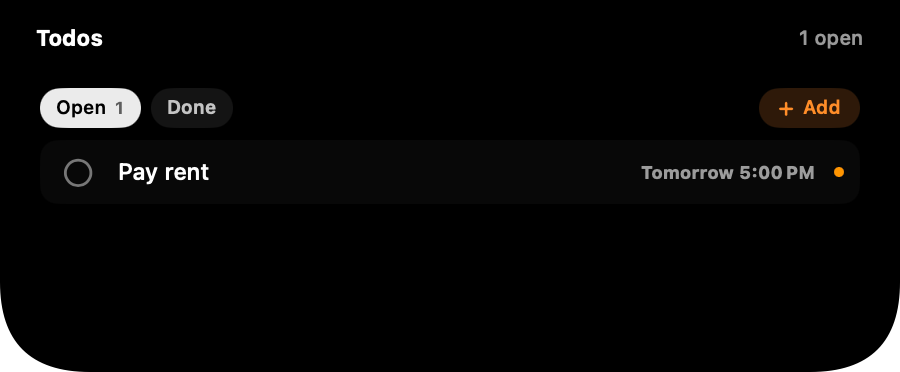
  • NewTodos. Your Apple Reminders in the island, two ways. Overdue and due-today at a glance in the wings, tick things done with a click anywhere on the row, and capture new ones from the notch: hit Add, type “pay rent tomorrow 5pm”, and the date is understood, shown as a chip, and saved with a real alarm. Open and Done tabs so a ticked item never just vanishes, and half-typed thoughts are kept as a draft instead of being thrown away. Everything is a real Reminder, synced to every device you own.The Todos card with Open and Done tabs and a dated reminder
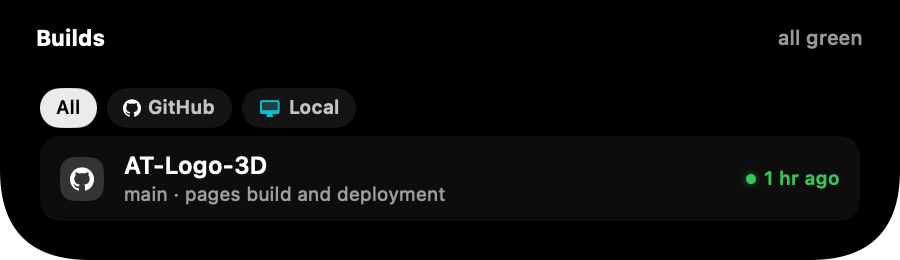
  • NewBuilds. Pipeline status for the repos you work in, straight from GitHub Actions and GitLab CI: a quiet colour in the wing while everything passes, the latest runs in the card, a toast the moment something fails, and a click lands on the run itself. Your local dev servers get their own lane too, found automatically with their project names, opened in the browser with a click, stopped with one more. Off by default; tokens live in the macOS Keychain and go to GitHub or GitLab directly, nowhere else.The Builds card with GitHub and Local lanes, all green
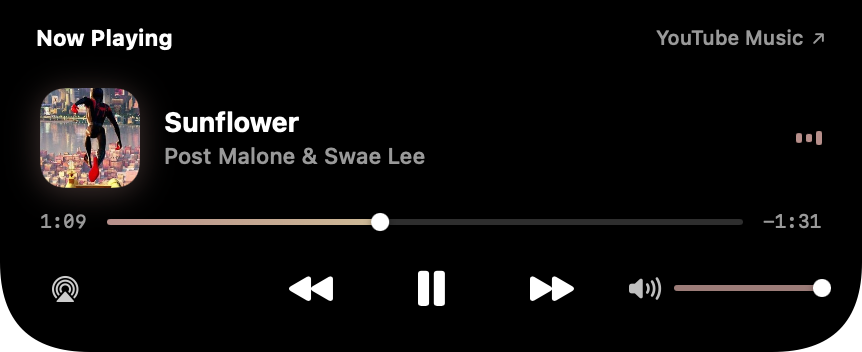
  • NewMusic from every app. The island now reads the Mac's own now playing service, so players that never worked in any notch app before show up with artwork, progress and working controls: Qobuz, Podcasts, VLC, TV, anything that plays. Spotify, Apple Music and browser tabs keep their richer direct integrations, and everything stays on your Mac.The music card playing from a browser with artwork and controls
  • ImprovedSwipes follow your fingers. Moving between cards now matches every other horizontal swipe on the Mac: fingers right bring in the card on the left. Cards of different heights no longer strand the pointer mid-gesture, and a new Auto-hide slider in Behaviour returns an open card to the notch on its own schedule.
  • ImprovedCalmer motion. Opening and closing the island is slower and completely smooth, with no bounce in either direction. The pace carries the character now.
  • ImprovedThe music card grew an output picker: an AirPlay button on the left of the transport switches your Mac's sound output to any device, exactly like the menu bar Sound item. The equalizer bars stay visible while paused, frozen and grey instead of vanishing, and the artist line no longer repeats the source name the header already shows.
  • ImprovedAI tools counts every agent. Two Claude sessions working at once now read as two, in the wing count, the session badge, and the card, where each concurrent session gets its own line with a live clock.
  • ImprovedArc joins the browser lineup and Qobuz's web player is a recognised source, with artwork and position. An Arc user did everything our guide said and found the gap; this closes it.
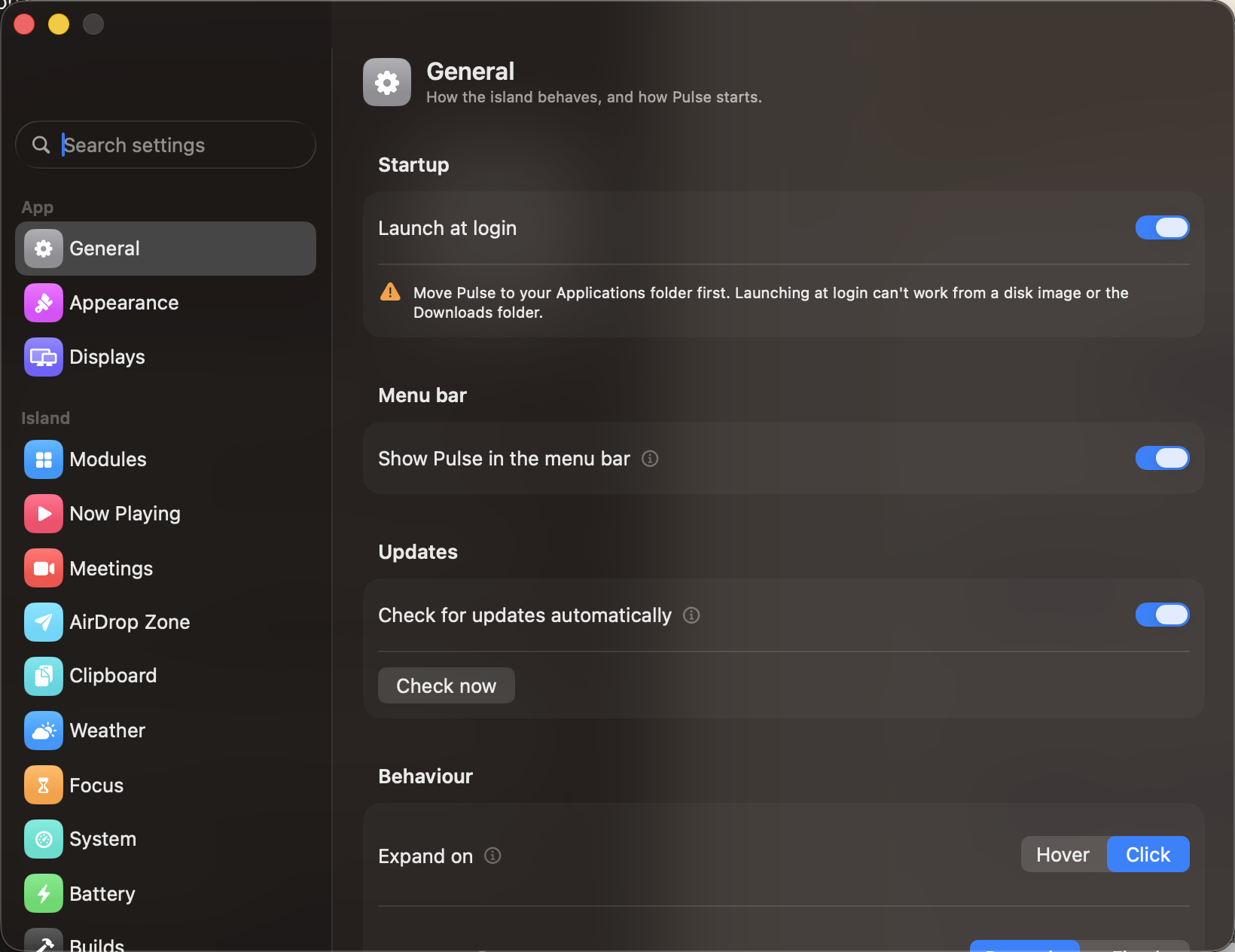
  • ImprovedSettings opens on its content. The empty field above every pane's title is gone, and the first card sits where your eyes already are.The Settings window in dark mode, General pane
  • FixedThe meeting bar appears only for real calls. A conferencing app idling in the background could claim any microphone use, so a dictation session on a website dressed itself up as a Teams call, with a Leave button that led nowhere. A call now needs real evidence: the app in front, the capture session starting in it, or a meeting tab open in the browser.
  • FixedModule order holds still. Deleting a clipboard item, a weather refresh or a battery tick quietly reshuffled the carousel; every module now keeps its slot for as long as it lives.
  • FixedClipboard behaves around filters: a copy focuses the clipboard card so you see it land, and deleting from a filtered category stays in that category instead of bouncing to All.
  • FixedMission Control in a fullscreen space no longer scales the island with the window thumbnails. The island lives in its own layer now, exactly where you left it.
  • FixedClosing the lid keeps the island where you put it. If Pulse is set to the built-in display only, closing a MacBook onto external monitors hides the island until the lid opens again instead of moving it to the primary external. Ticking an external while closed still works.

1.1.1

stable

The island learns what your AI tools are up to, the drop zone grows a second container, and displays become a straight multi-select. Plus the fixes testers asked for: honest Bluetooth toasts, charger wattage on the battery card, and full respect for Reduce Motion.

2 new5 improved2 fixed
  • NewAI tools card. Claude, ChatGPT, Cursor, Codex and Grok, each with a live status and its own tab. A 3x3 pixel grid animates in the tool's colour only while it is genuinely computing, still and grey otherwise. Per-tool tabs show the model in use plus tokens used and remaining for the session, read from the tool's own local logs. Detection happens entirely on this Mac by watching running apps, processes and session files. Nothing is contacted and nothing leaves your machine.The AI tools card showing Claude mid-task with model and token stats
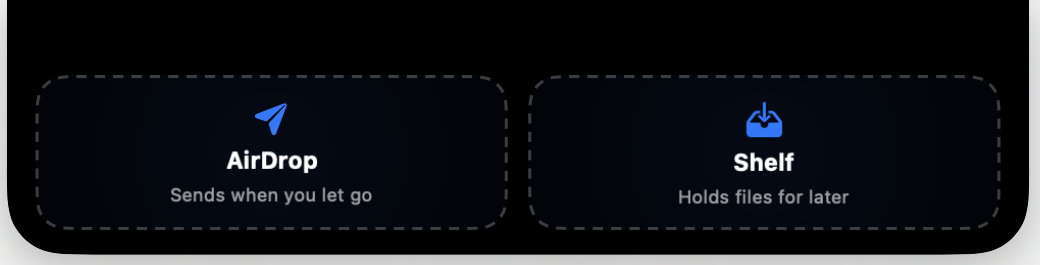
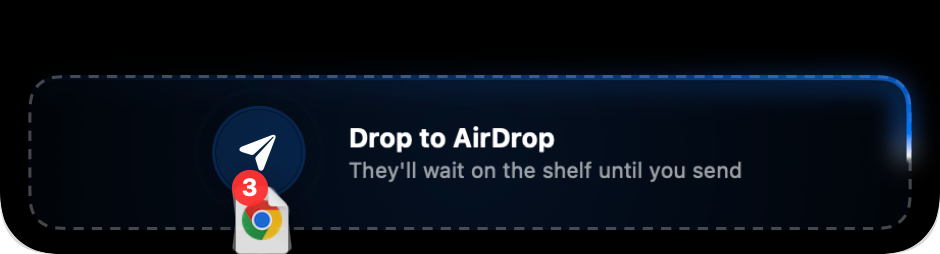
  • NewTwo drop containers. Drag files onto the notch and the island now opens into AirDrop and Shelf side by side. Drop on AirDrop and the picker opens the moment you let go; drop on Shelf and the files wait until you send or save them. Where you let go is the instruction, so the old auto-send switch is gone.The island opened into AirDrop and Shelf containers during a drag
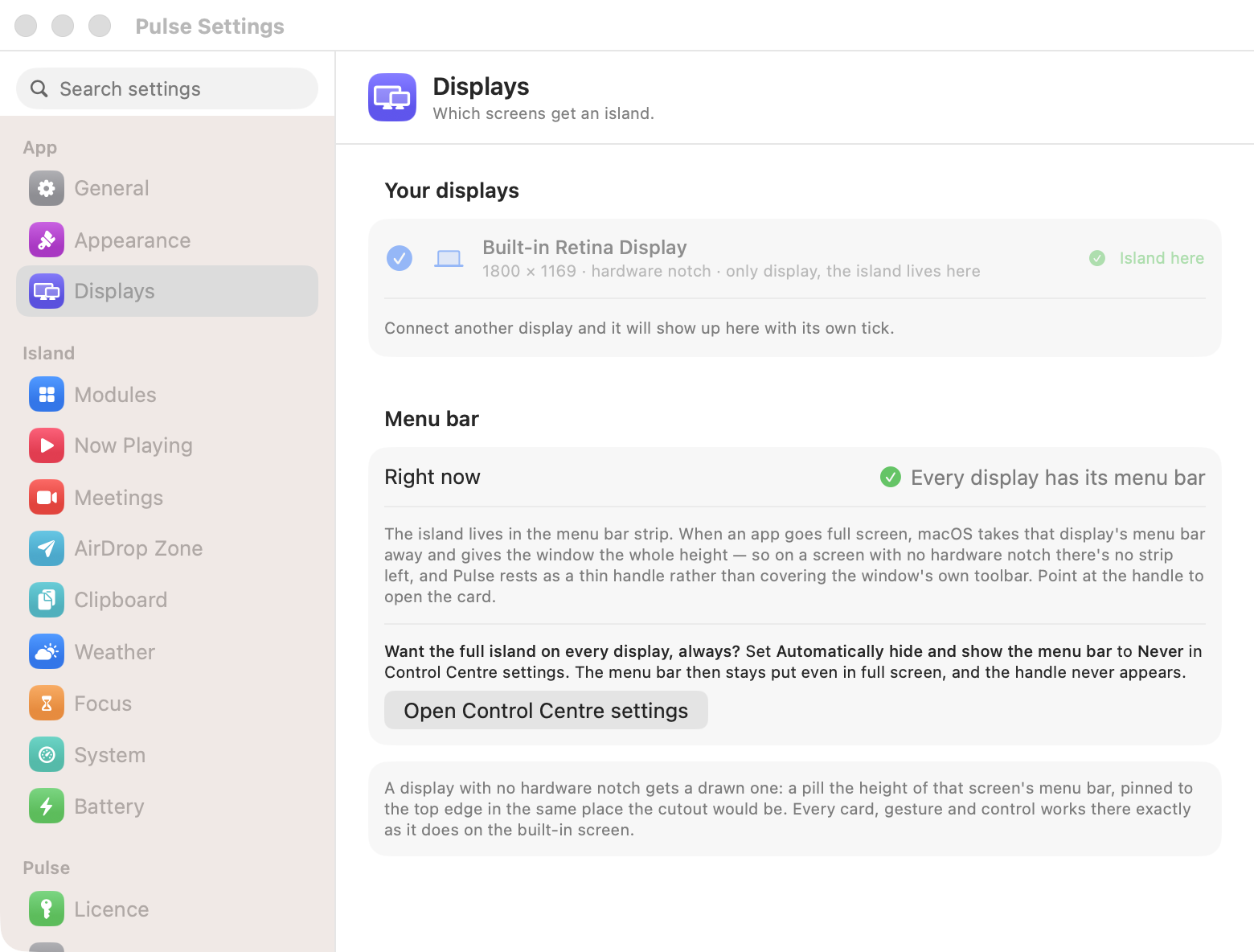
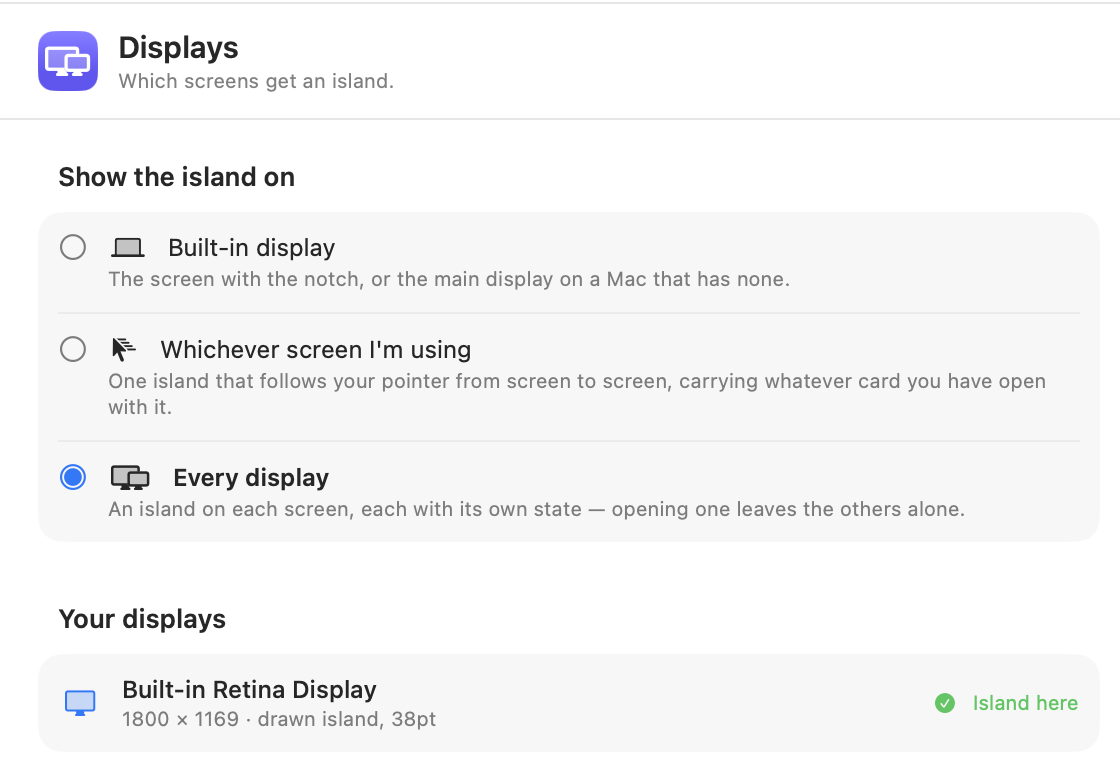
  • ImprovedPick your displays directly. The three placement presets are gone. The Displays pane now lists every connected screen and you tick the ones that should carry an island. A closed MacBook driving external monitors keeps them island-free unless you ticked them, which is exactly what clamshell users asked for.The Displays pane with a tick per screen and the Island here badge
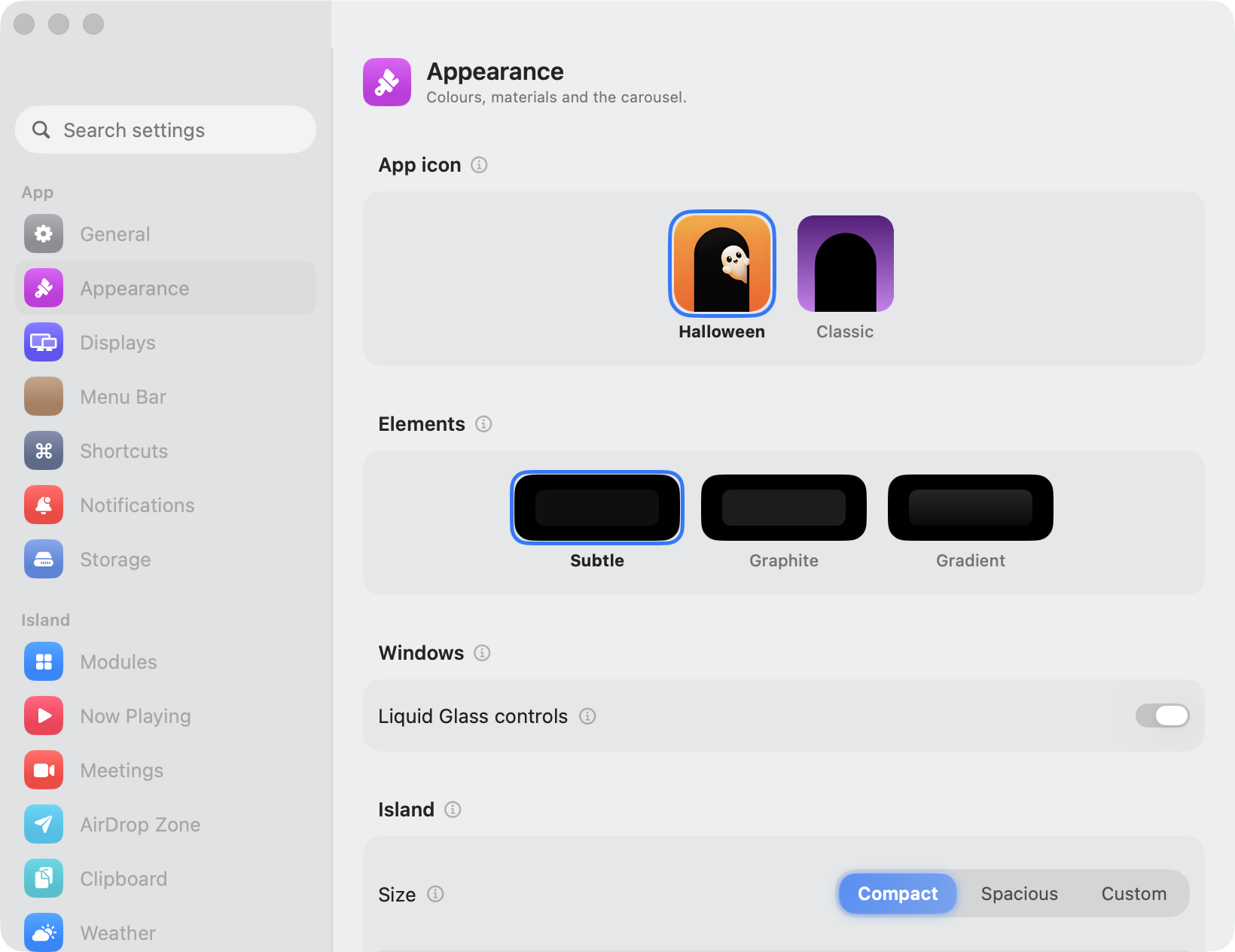
  • ImprovedDots or icons. If you use activity dots to hop between cards, Appearance now offers an icons style instead: a floating pill under the island with a glyph per module and the active one lit, so you know where a tap lands before you jump.The battery card with the floating pill of module icons beneath the island
  • ImprovedThe menu bar icon is now optional. Turn it off in Settings, General and the island is the whole interface; opening Pulse again from Launchpad or Spotlight brings Settings back.
  • ImprovedReduce Motion is honoured everywhere. With the macOS accessibility setting on, transitions settle into short fades, cascades stop staggering, and the decorative waves and marching borders hold still. There is also a Pulse-only switch in Settings, Appearance for calming just the island.
  • ImprovedThe battery card names your charger. Charging on 35W charger, 41 minutes to full, instead of a generic AC Power.
  • FixedPhantom Bluetooth toasts are gone. Continuity and AirDrop open short-lived links that used to read as your iPhone connecting. A connection now has to survive a settle check before it earns a toast, repeats are rate-limited, and a disconnect only reports if its connect did.
  • FixedThe drop zone no longer flickers shut while you aim. Crossing from the island onto a container used to collapse and reopen the zone mid-drag; it now stays open until the drag has actually left.

1.1

stable

The notch becomes a place to put things. Drop files on it and the island collects them on a shelf, ready to AirDrop anywhere in one click. Meetings get mute, camera and leave controls right on the island, the calendar card learns to run your day, and Settings gets a full redesign.

7 new2 improved
  • NewDrop to AirDrop. Drag anything onto the notch and the island opens into a drop target. Let go and your files land on a shelf, with AirDrop one click away. There is a switch in Settings that opens AirDrop the moment you let go, for the days when the phone is right there and the file just needs to get to it.The island opened into a dashed drop target while files are dragged over the notch
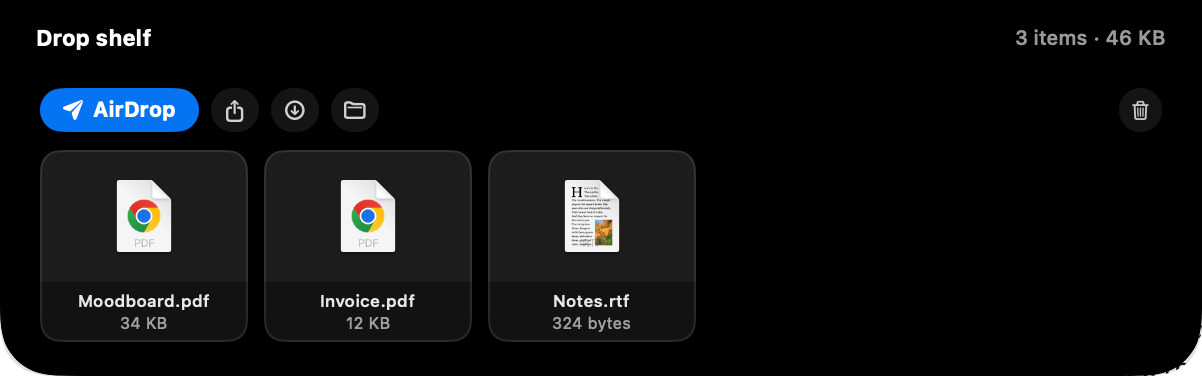
  • NewThe drop shelf holds a pile, not a file. Sending three screenshots, a PDF from Mail and an image off a web page used to mean making a folder on the Desktop first. Now they collect on the shelf as you drag, and the whole pile goes out together: AirDrop it, share it anywhere, save it to Downloads or reveal it in Finder. Tiles drag back out too, so the shelf also works as a pocket between apps. Images and text dragged straight off a page become files on the way in.The drop shelf card holding three files with AirDrop, share, save and reveal buttons
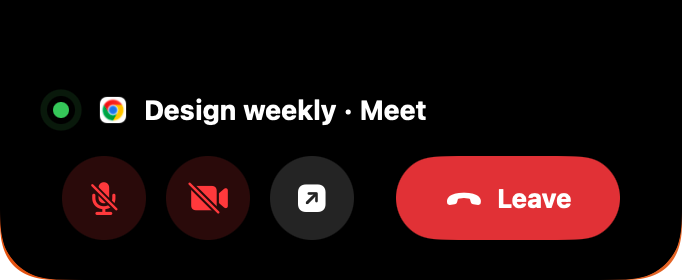
  • NewMeeting controls on the island. While you are in a call on Zoom, Teams, Meet, Webex or FaceTime, the island shows a live indicator with the elapsed time, and opens into mute, camera and leave buttons, so saving yourself from a hot mic no longer means finding the right window first. Google Meet runs in a browser tab, and Pulse asks for permission before it can reach into one.The island open during a call, with mute, camera and leave buttons under the meeting name
  • NewThe calendar card runs your day. It pages through today's agenda, a meeting that is running stays on the first page with its controls, and the join button opens the right app for the link in the invite.
  • NewIslands on your other displays. Settings, Displays now offers three ways to place the island: the built-in screen only, one island that follows your pointer from screen to screen carrying whatever card you have open, or an island on every display, each with its own state. Screens without a notch get a drawn island that sits in the menu bar strip, and rests as a thin handle when an app goes full screen there.The Displays pane in Settings, choosing which screens get an island
  • NewSettings, redesigned. A sidebar of panes replaces the old window, with search, and every new feature gets a home: Meetings, AirDrop Zone and the rest. On macOS 26 the window is drawn in Liquid Glass, with a switch in Appearance to turn the translucency off if it fights your wallpaper.
  • NewThe island can leave your screen shares during calls. Being on a call is exactly when someone is most likely to see your screen, so there is a switch that drops the island out of recordings and shares for as long as the call lasts.
  • ImprovedNotifications stopped shouting. A copy, a track change or a saved file used to drop a card down over whatever you were doing. Now the pill just stretches a little: the icon in one wing, a word in the other, and everything settles back on its own. The island never grows downward for a notification again.The compact pill stretched slightly to show a clipboard icon and the word Copied
  • ImprovedThe source name on the music card can open the exact browser tab the audio is playing in, not just the browser.

1.0.3

stable

Fixes a bug that made Pulse forget itself after a restart, greeting some Macs with the welcome tour and switching their widgets back off every time. Your licence key now has a page of its own, and the island can hold one size instead of resizing card to card.

6 new1 improved1 fixed
  • FixedOn some Macs, restarting brought back the welcome tour and turned every permission based widget off again. Pulse recognises its own install by fingerprinting the app, and part of that fingerprint was a number macOS reassigns each time your disks are mounted. Anything that changed what was attached at startup, an external drive most commonly, made a familiar copy of Pulse look brand new. It now uses an identifier that belongs to the disk itself, so a restart is just a restart.
  • NewYour licence has its own page in Settings. It shows the key that activated this Mac, hidden until you ask for it so it stays out of screenshots, with a button to copy it for your second Mac. The seat count, the issue date and the option to release this Mac's seat all live there too.
  • NewThe island can keep one size. Settings, General, Card size offers Fixed, where every card opens at the same footprint so the island stops resizing as you move between them, or Dynamic, which fits each card to its content and stays the default.
  • NewClicking Pulse in the Dock opens Settings. An app with no Dock icon did nothing at all when you clicked the shortcut you put there, which looked like a broken app rather than a menu bar one.
  • NewThe clipboard card can empty itself. A small clear button sits beside your items and asks once before it does anything, so getting rid of everything no longer means opening Settings. Individual items already had a delete button when you hover them.
  • NewThe place name on the weather card opens Weather, the same way the source name on the music card opens the player. Radar and the ten day forecast belong in the app that already does them well.
  • ImprovedPulse now tells you whether browser seek and volume controls are actually working, instead of asking you to enable a setting you may have enabled weeks ago. The instructions are per browser, because Safari keeps the switch somewhere else and hides the menu it lives in until you ask for it.
  • NewAbout has links to the Privacy Policy and Terms, and a button that copies your display measurements. If the island ever sits off centre or leaves a gap on your Mac, that button collects everything needed to fix it.

1.0.2

stable

Clipboard history now keeps its place between launches and stays out of your screen recordings. Launch at login tells you the truth, and the tour ends by showing you where everything lives.

4 new2 fixed
  • NewThe island drops out of screen shares and recordings while clipboard content or a one-time code is on screen. Every other card still records normally, so demos and screen captures of your setup are unaffected. There is a switch for it in Settings, Clipboard, Privacy.
  • NewClipboard history survives quitting Pulse. It comes back when you reopen the app and clears when you shut down or restart. Sleeping your Mac keeps it. Turn it off in Settings to go back to history that lives only as long as the app is open.
  • NewClipboard items can expire on a timer. Choose five minutes, fifteen, an hour, four hours or a day, and anything older drops out of history on its own.
  • NewThe tour now finishes by pointing at the menu bar icon and offering to open Settings, so an app with no Dock icon does not vanish the moment the last screen closes.
  • FixedLaunch at login could fail without saying so. Running Pulse from the disk image or the Downloads folder cannot register a login item, and macOS sometimes waits for your approval first. Both now say what happened, and the approval case has a button that opens the right settings pane. The toggle also reconciles with macOS at every launch instead of reporting whatever it was last set to, and a login item that pointed at an old location repairs itself.
  • FixedClipboard cards flickered while the pointer moved across them. The buttons that appear on hover were being added and removed from the card each time, which fought with the hover itself.

1.0

stable

The launch. Pulse is now a one-time purchase: pay once, activate on two Macs, and every update is included. Beta testers have founder pricing waiting in their inbox.

5 new5 improved4 fixed
  • NewLicensing: one key covers two Macs, seats are managed by the licence server, and removing a licence from a Mac frees its seat for another. Removal asks first and lands you back on the activation screen.
  • NewFounder pricing for beta testers: a personal, single-use code sent by email, applied on the licence page.
  • NewAutomatic updates. Pulse checks once a day and installs new versions in place, so this is the last build you download by hand.
  • NewThe source name on the Now Playing card is a door: click it to open Spotify, Apple Music, or the exact browser tab that is playing.
  • NewThe installer is a proper DMG window now: drag Pulse onto Applications and you are done.
  • ImprovedThe scrubber glides between readings in colours drawn from the album art. Clicks land exactly where you click, instantly, and the thumb no longer springs back after a seek.
  • ImprovedA two-finger swipe always moves between modules, on every card. The clipboard card used to swallow horizontal swipes for its own history row, which left you stuck on it.
  • ImprovedClipboard history is paged: five cards at a time with a page turner in the corner, instead of one long scrolling row.
  • ImprovedThe carousel dots are clickable, so you can jump straight to a module instead of swiping past the ones in between.
  • ImprovedThe compact countdown next to the notch shows the bare time, like 7h 8m, and keeps clear of the island's corners.
  • FixedRelease builds could not ask macOS for Calendar or Location access at all, so those toggles silently did nothing. Both permissions now prompt properly.
  • FixedA fresh install starts fresh: permission toggles begin off instead of inheriting a previous install's choices. Updates keep all your settings.
  • FixedThe Calendar settings pane now says when macOS has not granted Full Access, with a button that opens the right Privacy pane.
  • FixedChanging tracks no longer paints the progress line full for a moment before the new song reports in.

1.0 beta

beta

The first public build. Pulse turns the notch into a living island: what's playing, what's next, what you copied, and what your Mac is doing, all one glance up.

9 new3 fixed
  • NewNow Playing: track, artwork and transport controls for Music, Spotify and browser players including YouTube and YouTube Music.
  • NewMeeting countdown: your next calendar event, with the time remaining, so you stop missing the join.
  • NewTyped clipboard history: links, colours, images, files, code and text, each recognised and shown as its own kind of card, with filter chips.
  • NewWeather: current conditions, an hourly strip and the days ahead, from your location or a city you set yourself.
  • NewDevices: connected Bluetooth devices and their battery levels, including AirPods.
  • NewLive system stats: CPU, GPU, memory, swap, storage, network and disk throughput, sampled while you're watching and not before.
  • NewScreenshot shortcut: take a screenshot and the island offers it straight back to you.
  • NewGestures: hover to open, two-finger swipe to move between modules, scroll to expand and collapse.
  • NewA first-run walkthrough, in-app feedback, and a Settings window with a switch for every card.
  • FixedAirPods battery never appeared in the devices card.
  • FixedTurning a feature off in Settings hid its card but left the service running underneath. Off now means off.
  • FixedA fresh install could inherit the previous install's first-run state and skip the walkthrough.

Found something broken, or want a card Pulse doesn't have yet? The feedback form lives in the app's Settings window, or email amtalreja02@gmail.com.